You are visiting a website for another country. Some products may not be available or valid in your location. Switch to your local store for the best experience.

How to redeem a PlayStation Gift Card
13 August 2026
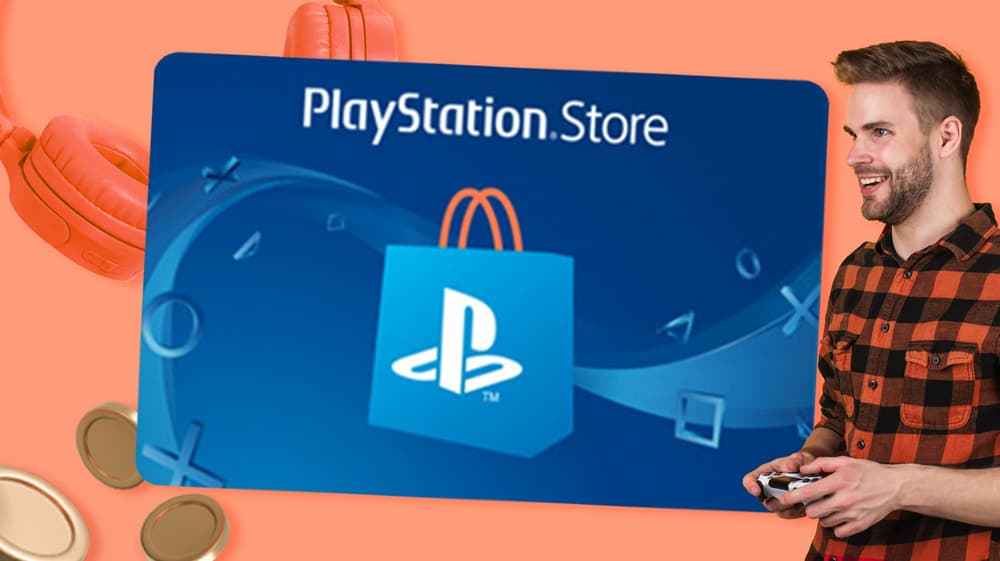
The code lands in your inbox and the game you have been waiting for is still sitting there unbought. A PlayStation Gift Card is credit for a PlayStation Network wallet, so the value goes to the account rather than to one particular title. Once it is in the wallet, you spend it on what you actually want. The same code works on a PS5, on a PS4, in the PlayStation Store in a browser and in the PlayStation App. Here is how to add it on each of them, screen by screen.
What do you need to use a PlayStation Gift Card?
Three things, and you most likely have all of them already. The first is the code itself, twelve characters long, which arrives in your confirmation email as soon as the order goes through. The second is a PlayStation Network account, which is free to set up if the person playing does not have one yet. The third is the account region, which needs to be set to Australia, because a code bought here will not go through on an account registered somewhere else.
After that the money simply sits in the wallet until it is spent. There is no need to use it all in one go, and nothing has to be picked out on the day the code arrives.
How to redeem a PSN Gift Card on PS5
Start on the home screen with the account you want the credit to land in already signed in.
- Select the gear icon in the top right corner to open Settings.
- Go to Users and Accounts.
- Choose Account, then Payment and Subscriptions.
- Select Redeem Codes.
- Type the twelve characters from your email and confirm.
The amount appears in the wallet straight away. You can check it any time by opening the same Payment and Subscriptions screen, where the balance sits at the top. If the code is refused, it is nearly always one of two things: a stray space at the start, or a console signed in with a different account than the one you meant to top up.
How to redeem a PlayStation Gift Card on PS4
The route is the same idea with different menu names, so it takes about a minute.
- Open Settings from the home screen.
- Scroll down to Account Management.
- Select Redeem Codes.
- Enter the twelve characters and confirm.
There is a second way in through the PlayStation Store itself, where Redeem Codes sits at the bottom of the sidebar. Either one puts the money in the same place. Worth knowing if you own both consoles: the wallet belongs to the account and not to the machine, so credit added on a PS4 is there on the PS5 as well, and the other way round. One code, one balance, whichever console someone happens to be sitting in front of.
How to use a PS Store Gift Card online or in the app
You do not need the console within reach to add credit, which helps when the card is a present and the PlayStation is at someone else's house.
In a browser, go to the PlayStation Store and sign in. Select your profile picture in the top right, choose Redeem Codes, then enter the twelve characters. In the PlayStation App on a phone, open the store, tap your profile picture and look for Redeem Codes in the same menu.
One thing that trips people up is the name. A PSN card, a PS Store card and a PlayStation Gift Card are the same card, sold under whichever name a shop happens to use. Once the balance is in the wallet it covers full games, add ons and season passes, in game currency and PlayStation Plus, so a subscription can be renewed without a bank card being involved at all.
Buying one for someone else
If you are on this page because you want to give a card rather than use one, the ordering side is quick. You choose the amount, write your message and decide at checkout whether the email comes to you or goes straight to the player, which makes it a fair gift to buy on the day itself. Gift-card.com sends it by email within minutes, so a birthday you only remembered at lunchtime is still recoverable.
Not every player is on a PlayStation, of course. A Roblox Gift Card suits a younger player who is building rather than finishing games, and an EB Games Gift Card covers the console side and the shelf of merchandise next to it. The rest of the range sits under gaming gift cards and e-gift cards, with films and music a shelf across in entertainment gift cards.
When you are not sure what someone plays, or whether they play at all, the Choice Gift Card hands that decision back to them. They pick the card they actually want, and you are spared guessing at a console you have never owned.

The best gift cards for dad to give
Whether it's for Father's Day, his birthday, or just because, these gift vouchers for dad let him choose exactly what he wants.
The best gift cards for birthdays to give
Finding the right birthday gift can feel overwhelming. Gift cards solve this dilemma by letting celebrants choose exactly what they want while you avoid guessing sizes or preferences.

The best gift cards for employees to give
Whether celebrating work anniversaries, rewarding performance, or showing seasonal appreciation, these gift vouchers for employees let your team choose what they want.
See all blogs